The question. After launch, many developers who had already invested in Codex setups — memories, plugins, automations, a "thread of threads" — asked whether a dot adds anything. Dominik Kundel (@dkundel) answered with a long post, "How dots took over my Codex" (590+ bookmarks), which @OpenAIDevs shared with a one-line summary: your dot learns how you work, keeps context across apps, coordinates Codex tasks and flags what needs your attention.
Same engine, different role. Per the post, dots run on the same open-source Codex harness and can reuse context you already have — installed plugins, ChatGPT memory and conversations. The difference is the role: Codex is where you actively pair on code; your dot is a single persistent agent you hand work to without first picking a thread. His shorthand is worth repeating: "delegate to my dot, collab with Codex." At the time of writing you can create only one dot.
Local vs cloud — who runs what. A dot can start tasks in a Codex Cloud environment you've already set up for a repo (these keep running with your laptop off) or on a connected local computer (which must stay online with the ChatGPT app open, but gets your local context). OpenAI's Tasks and memory docs list exactly these options and note that a new task gets instructions from your dot, not every past conversation. The author says his dot learned his preference — backend and copy fixes in the cloud, big front-end changes locally — and now routes work accordingly (individual experience).

From Slack thread to shipped fix. Before dots, his loop was: paste a Slack link into Codex, ask it to build, ask it to watch the deploy, then set up a separate automation. Now he tags his dot in the Slack thread; it takes the task, works it through Codex, replies in the thread, and keeps watching for changes. He also describes a dots-team engineer whose dot monitors a feedback channel, investigates issues, opens Codex tasks for fixes, watches CI and escalates only the big ones — and because every step is a Codex thread, a human can jump in where the dot left off.
Proactive, but read-only by default. Examples in the post: the dot followed a PR into production and told him when he could retry; during DevDay it noticed a second incident he had missed and cross-checked it against his talk script. OpenAI's docs frame this as proactive research that doesn't send messages or change apps by itself — follow-up actions still go through permissions and approvals. Widen autonomy gradually with custom rules; see safety.
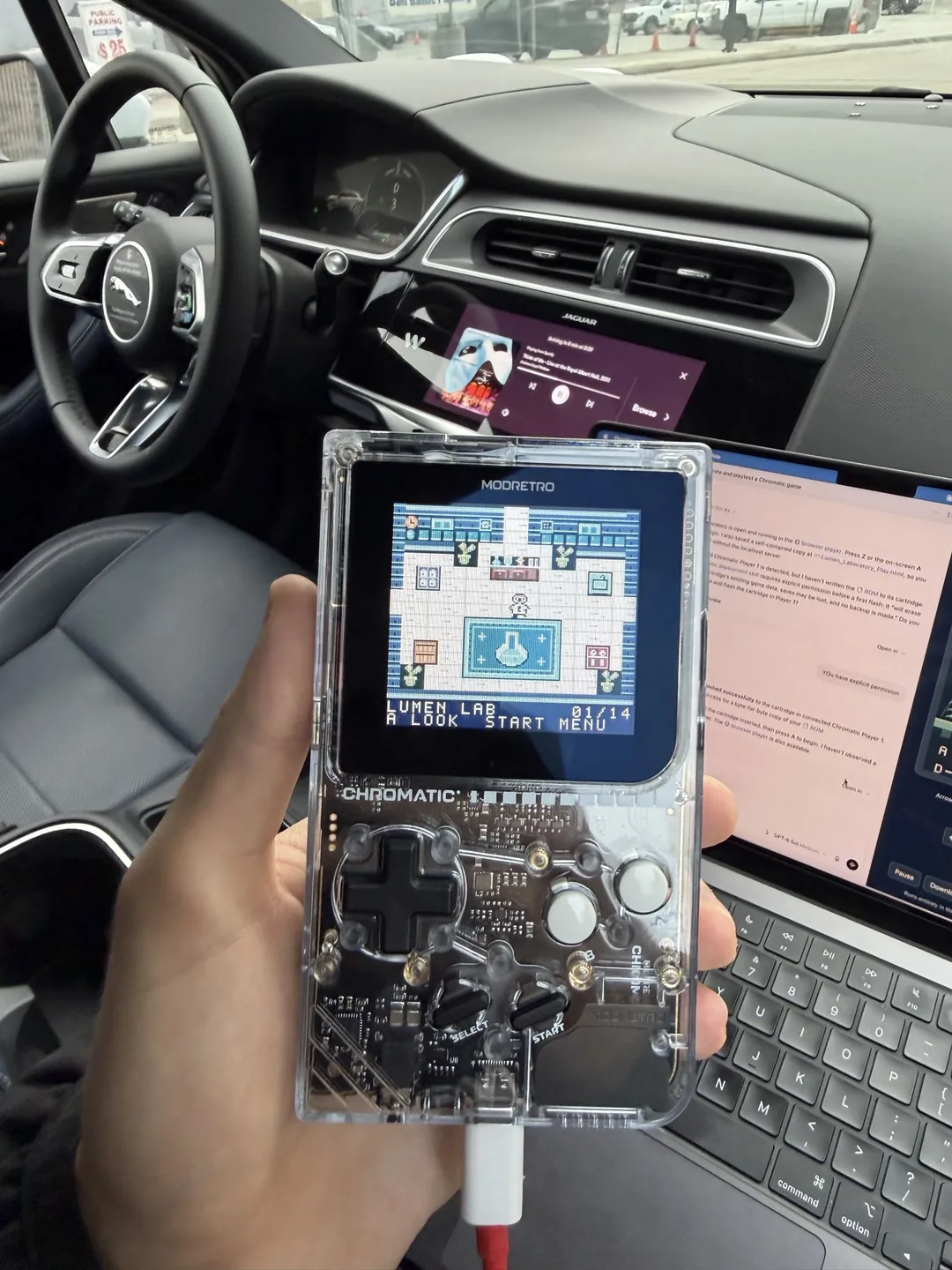
Community demo: a game made overnight. @NicholasRuncie posted a photo from a self-driving car: using Codex to install, on a handheld console, a game his dot built while he slept. OpenAI Developers later reshared it. Fun, but treat it as a single user's showcase, not a benchmark.
Where to start. Set up your dot in the ChatGPT desktop app, connect it to local Codex, and let it replace any "thread of threads" by spinning up Codex tasks for you. Pick one recurring task where you know what good looks like, show it once, and say what it may do alone versus what you review. On usage: the author (and Tibo) described dot conversations as not counting toward ChatGPT limits at the moment, while Codex tasks a dot starts still do — details in Tibo on dots usage and pricing.
Related. Official demo replay, developer use cases, for developers, workflow deep-dive.