Why this round-up. "Proactive" is easy to promise and hard to picture. These posts are useful because each shows a specific catch, with screenshots, from someone with a track record. They are individual experiences; OpenAI's docs describe the mechanism as proactive research — background reading of sources your dot has permission to see, which by itself does not send messages or change apps.
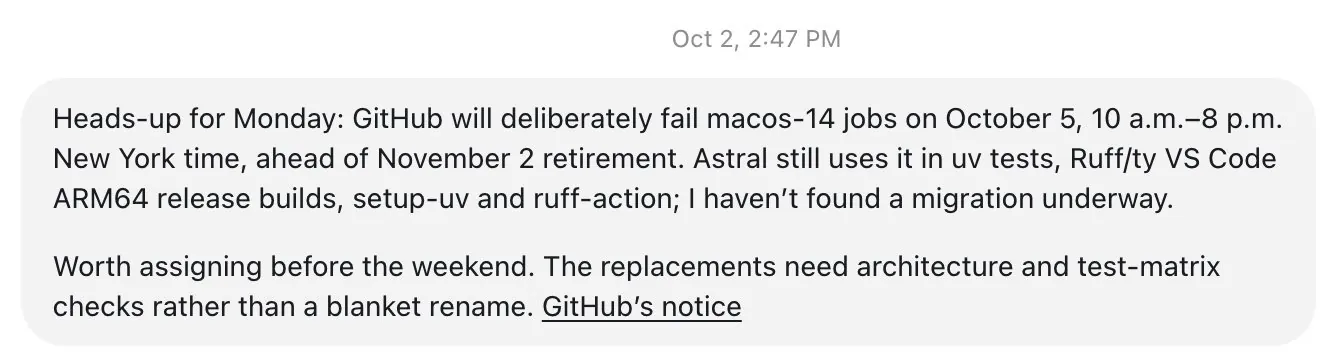
A CI break, caught before Monday. Charlie Marsh (@charliermarsh), who builds uv and Ruff at Astral, said his dot messaged him unprompted: several CI jobs would start failing because GitHub was retiring the macos-14 runner. Per his screenshot, the dot listed which builds and actions still depended on it, noted the scheduled brownout window, and said it hadn't found a migration underway. Tibo's reply: "Good dot." This is the developer version of the pitch — a dot watching your dependencies and platform notices so a deadline doesn't surprise you.
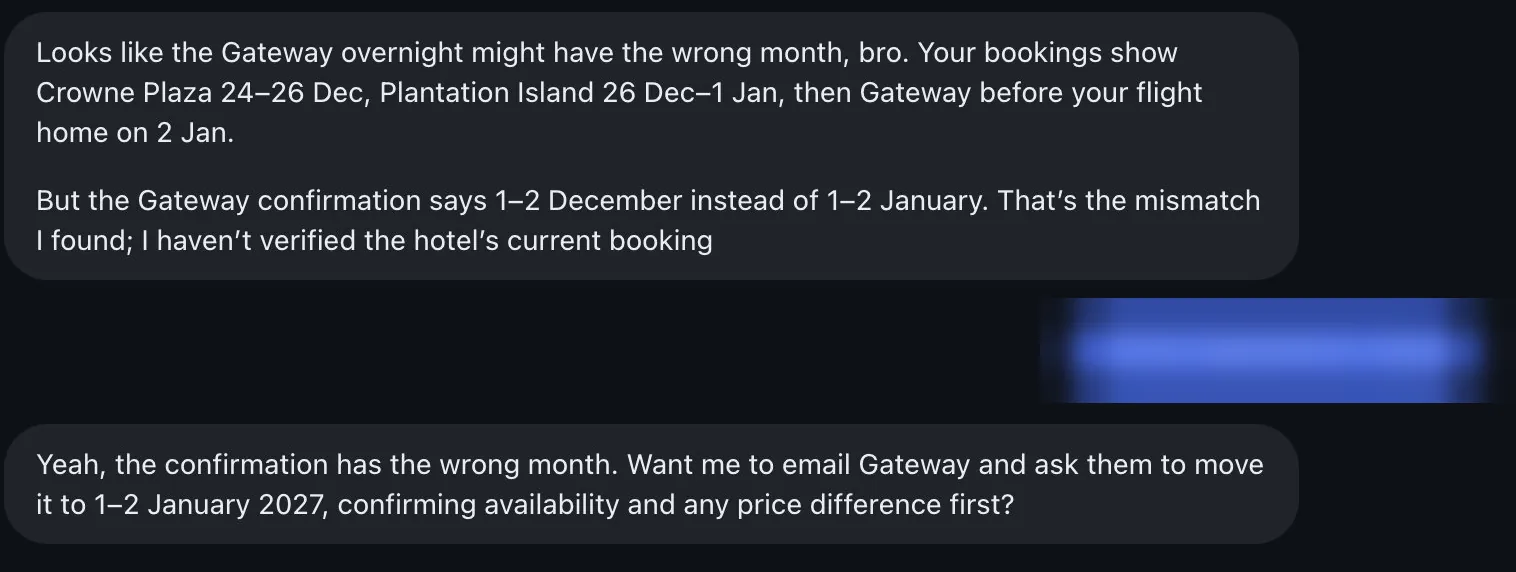
A hotel booked in the wrong month. @CtrlAltDwayne had several Fiji stays over the holidays. His dot spotted that the last confirmation said December instead of January — then, importantly, said it hadn't yet verified the live booking, and asked whether to email the hotel to move the dates after checking availability and price difference. Smaller audience than the others, but it neatly shows "notice, explain, ask before acting."
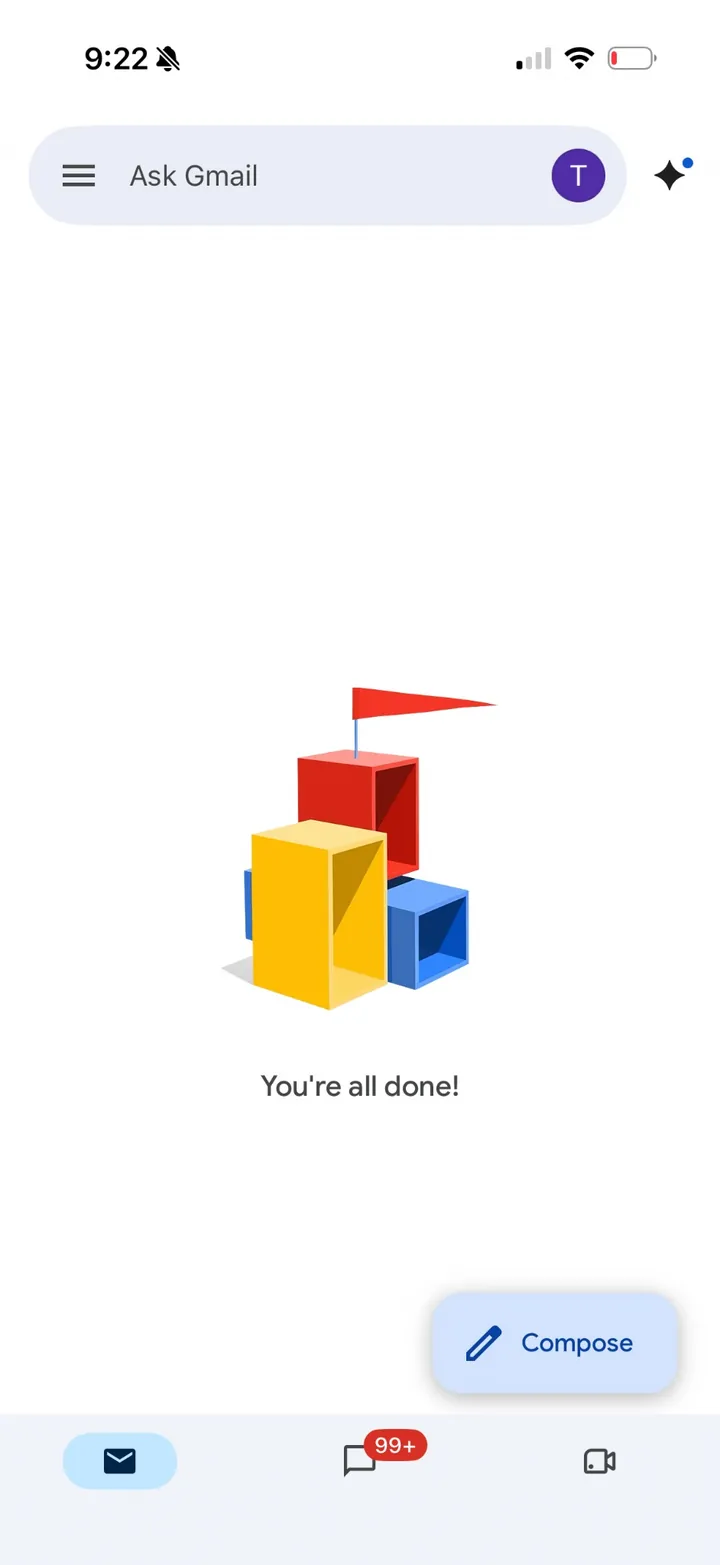
Inbox zero as a standing goal. Tibo (@thsottiaux) gave his dot an ongoing goal: get from 9,000+ unread emails to zero with clean filters. A day later he was at about 6,100; two days after that he posted an empty inbox, saying he'd never managed it before. The pattern to copy is the framing — a goal with a clear end state the dot can keep working toward — rather than one-off "clean my inbox" prompts. Mind your controls before letting any agent archive or delete mail.
Tip: give your dot a face. You can ask your dot to "create a pet and set it as your avatar," based on an idea, an image or almost anything, according to Tibo; his video shows a small character with a reset button. Purely cosmetic, but it makes the dot easier to recognise across ChatGPT, Slack and phone calls.
Community-hosted · attributed
Community-hosted clip (attributed @thsottiaux): asking a dot to create a pet avatar. Not an official product SLA.
Tip: it's one dot everywhere. Tibo also clarified that a dot carries context across its single ongoing conversation: call it mid-task, then pick up later in Slack or by text in the app — same dot. OpenAI's docs agree that ChatGPT, Slack and Teams reach the same dot, while noting that visible conversations stay separate and private details still need permission before being shared to a team channel.
How to get similar results. Connect the sources the dot should watch (repos, email, calendar, travel confirmations); state goals with a finish line; tell it which findings deserve an interruption; keep sends, bookings and deletions behind approval. More: getting started, safety, official demo replay, dots + Codex. For the rough edges people hit in the same week, see week-one friction.